Showing all 20 resultsSorted by price: low to high
-

$6.99
Photoshop action package (includes a PSD sample) that converts photos into a vibrant 1980s-style retro poster with duotone colouring, halftone texture and neon scanlines; requires Photoshop and Smart Object workflow. Readme instructs using RGB, 8-bit images and the Smart Object photo placement.
-

$9.99
Layered, editable PSD flyer template for baseball-related promotions that includes editable main image placeholders, master adjustment and color-option groups, and a Facebook cover PSD variant. Designed for print and social use with organized, color-coded layers and common sports fonts.
-

$9.99
Layered Photoshop PSD that applies a comic-style 3D text effect driven by an editable Smart Object—open the Smart Object, replace the text, save to update the effect.
-

$6.99
Photoshop action-style product delivered as a Smart‑Object PSD that applies a bold deep‑red monochrome colour grade suitable for fashion and portrait edits; requires an RGB 8‑bit photo placed into the Smart Object. Readme includes usage steps.
-

$6.99
Photoshop action that applies neon/electric glows, spark and particle textures to portraits; includes a smart-object PSD sample for inserting photos and producing club/EDM-style promotional images. Requires Photoshop (RGB, 8-bit) and use of the Smart Object as described in the readme.
-

$6.99
Layered PSD text effect using a Smart Object — replace the placeholder text to produce a metallic, illuminated ‘extra light’ title with hexagonal background and light streaks. Requires Adobe Photoshop; open the Smart Object, edit text, save.
-

$6.99
A Photoshop text-effect package (PSD with Smart Object) that creates floral-filled display text; open the Smart Object, type your text and save to update the effect. Marketed as a Photoshop action and supplied with a PSD template and Readme.
-

$9.99
Layered Photoshop text effect with an editable Smart Object that turns type into a gold foil/balloon-style headline; preview shows balloons, confetti and a premium banner for festive designs.
-

$9.99
Portrait layered PSD flyer template that applies a glossy glass/3D effect to editable text via a Smart Object; includes shattered-glass visual elements and a preview for quick customization.
-

$6.99
A Photoshop text-effect product (packaged as a layered PSD) that creates glowing/neon-style typography — edit the text inside the Smart Object and save to apply the effect.
-

$6.99
Photoshop action that creates warm, gold light-leak and bokeh highlights over photos using a Smart Object PSD; requires RGB 8‑bit images and the English version of Photoshop. Includes a PSD smart-object file and readme with usage notes.
-
$6.99
A Photoshop action package that applies a shiny, metallic gold text effect (premium text style) suitable for luxury branding, invitations, promotions and glossy typographic designs. Preview shows a script-style example with reflections, beveling and a soft vignette background.
-

$6.99
Neon Action is a Photoshop action-style product packaged as a PSD that uses a Smart Object to apply neon/glow treatments. Readme requires images in RGB 8‑bit and English Photoshop — open the Smart Object and paste your photo to apply the effect.
-

$6.99
Photoshop action package with an editable PSD smart-object that produces a yellow/gold neon light text effect on a brick-wall background; edit the smart object text and save to apply the effect. Readme instructs opening the Smart Object, replacing text and saving.
-

$9.99
Photoshop PSD smart-object template that produces a neon light/glow text effect — open the Smart Object, replace your text and save to apply the neon styling. Supplied as a layered PSD (instructions in Readme).
-

$9.99
Layered Photoshop PSD text effect that applies a neon/glow look — edit the Smart Object, type your text and save to update the effect. Includes a readme with simple Smart Object instructions.
-
$9.99
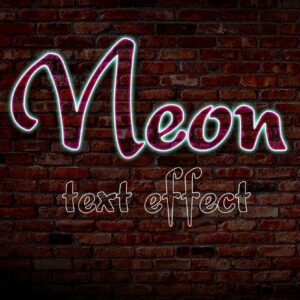
Layered Photoshop PSD that applies a neon/glow text effect editable via a Smart Object; includes a preview and a Readme with instructions to open the Smart Object, replace text and save. File in archive: “Neon text Effect.psd”.
-

$9.99
Layered Photoshop PSD that provides a neon-style editable text effect using a Smart Object—open the smart object, replace the text and save to apply the style. Includes one PSD and a brief Readme with usage steps.
-
$6.99
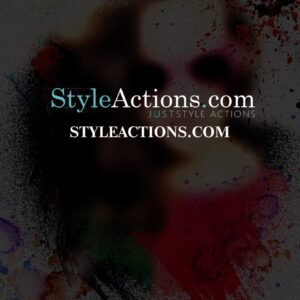
Photoshop action that turns photos into spray-paint/paint-splatter style portraits; includes a PSD demo that uses a Smart Object. Requires RGB, 8‑bit images and English Photoshop (per readme).
-

$9.99
Layered Photoshop PSD text effect using a Smart Object to create a white spray-paint / grunge stencil look on a dark textured background; open the Smart Object, replace the text and save to apply the effect.