
Spray Paint Text Effect
$9.99Layered Photoshop (PSD) text effect that turns your text into a white spray-paint / splatter style over a dark grunge background; edit by opening the included Smart Object, replacing the text and saving.
Showing 441–460 of 508 resultsSorted by price: low to high

Layered Photoshop (PSD) text effect that turns your text into a white spray-paint / splatter style over a dark grunge background; edit by opening the included Smart Object, replacing the text and saving.

Layered Photoshop PSD text effect using a Smart Object to create a white spray-paint / grunge stencil look on a dark textured background; open the Smart Object, replace the text and save to apply the effect.

Square PSD flyer template for summer/seasonal sale promotions with a gold brush-stroke focal, botanical leaf decorations and a Facebook-cover variant. Layers are well organised with smart-object image placeholders, preinstalled color options and included free-font references (Century Gothic, Palace); PSD includes bleed settings per the readme.

Layered, print-ready Photoshop flyer template for St. Patrick’s Day events with editable smart-object photo, color option groups and master adjustment layers; includes themed graphics (shamrocks, hat), gold headline and ribbon for offers. PSD is organized and set up with bleed for print.

Animated St. Patrick’s Day PSD post template (includes PSD, animated GIF and MP4) featuring a leprechaun hat, clover background, gold coins and light effects for social posts and event promotions.
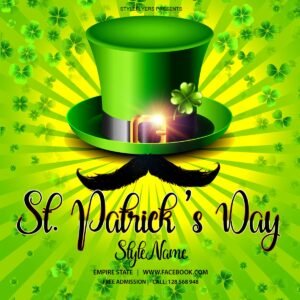
Square animated PSD social-post template for St. Patrick’s Day featuring a green leprechaun hat, shamrock background, radial rays and editable headline and detail text — designed for social media event or promotion posts.

Photoshop Action that applies a star/dust/galaxy particle and neon-glow look to photos via a sample Smart Object PSD; readme notes require RGB, 8‑bit and the English version of Photoshop.

Photoshop action package for creating a stardust/galaxy overlay on face portraits; includes a PSD with a Smart Object photo placeholder. Requires RGB, 8‑bit images and the English version of Photoshop.

Photoshop action and PSD Smart Object workflow that converts photos into a stardust/galaxy portrait with starfield particles and glowing edge details; requires RGB, 8‑bit images and the English version of Photoshop.

Photoshop action that applies a storm/dispersion (shatter) particle effect using a Smart Object workflow; requires RGB, 8‑bit images and the English version of Photoshop. Archive includes a layered PSD (Smart Object) sample and a README with usage notes.

A Photoshop action that generates a layered, ornamental/geometric stylised portrait (includes a PSD with Smart Object for easy photo replacement). Requires Photoshop (RGB, 8‑bit) and English-language actions UI.

Photoshop action delivered as a Smart-Object PSD that creates a stylish, posterized halftone portrait look; requires RGB, 8‑bit image and use of the Smart Object as described in the included readme.
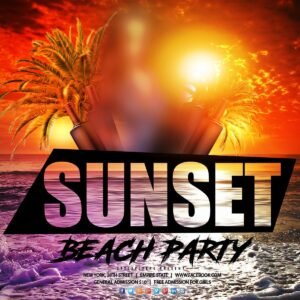
Photo-based PSD flyer template designed for sunset or beach party events, featuring a large photo-filled headline, palm trees, ocean waves and a strong warm sun flare. Supplied as a layered PSD for editing event details, photos and colours.

Layered Photoshop PSD with editable smart-object text that applies a realistic fire/flame effect; open in Adobe Photoshop, edit the smart object text and save to update the effect.

Layered Photoshop (.psd) text effect that produces a chrome/metallic headline using editable Smart Objects; preview shows a honeycomb background and a red corner ribbon for promotional use.

Photoshop action that transforms photos into mixed-media text-art portraits combining watercolor splashes, ink/sketch lines, handwritten script overlays and paper textures; includes a layered PSD with Smart Object. Requires RGB, 8‑bit images and the English version of Photoshop (open the Smart Object, paste your photo and save).

A Photoshop action that converts photos into a dynamic triangular-fragment / dispersion composition; requires RGB 8‑bit images and uses a Smart Object workflow (instructions in Readme). A layered PSD is included as the result/sample.

Photoshop action packaged with a PSD Smart Object to convert portraits to a high-contrast, vintage noir black-and-white look; requires opening the Smart Object and pasting your photo (use RGB, 8‑bit and English Photoshop).

Layered Photoshop PSD that applies a gold glitter text and border effect via a Smart Object; edit the Smart Object to replace the text. Includes a preview showcasing a glitter frame, glitter lettering and a corner ribbon badge.

Photoshop action that applies an urban, moody color grade to portrait photos; uses a Smart Object workflow (PSD included) and requires RGB/8‑bit and the English version of Photoshop. Install and open the Smart Object, paste your photo, save to apply the effect.
Notifications