Showing 201–215 of 215 resultsSorted by price: low to high
-
$9.99
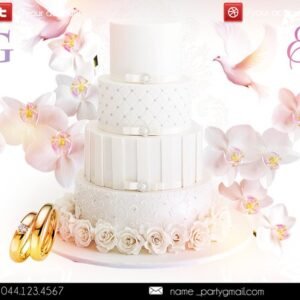
Layered, print-ready Photoshop flyer template for wedding promotions that includes a smart-object main image, multiple pre-installed color option groups, and organized/color-coded layers. The package includes the preview and full PSD and references three free fonts (Decor, AG_Futura, Charlemagne Std); PSD is set up with a 0.25 bleed.
-

$9.99
Layered PSD flyer template for a “White Affair” or white-themed party with editable smart-object for the main image, color-coded groups, pre-installed color options and master adjustment layers; uses the free fonts Myriad Pro and Dealova (links provided).
-

$9.99
Layered, print-ready PSD flyer template with editable smart-object image placeholder, master adjustment layers and multiple pre-installed color option groups; readme documents fonts and simple editing steps.
-
$9.99
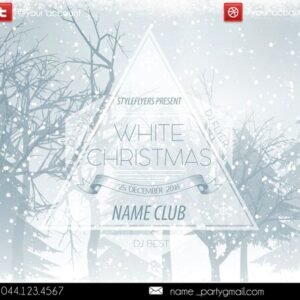
Layered, print-ready Photoshop flyer template titled “WHITE CHRISTMAS” with smart-object main image, master color/contrast adjustment layers and multiple pre-installed color options; fonts used are listed in the readme.
-

$9.99
Editable layered PSD flyer template for a ‘White Party’ event, includes a main flyer PSD and a Facebook cover PSD with smart-object image placeholders, color option groups and master adjustment layers for easy customization.
-

$9.99
Layered, print-ready PSD flyer template for promoting a ‘white party’ or club event; includes editable smart-object for the main image, color/contrast adjustment groups, multiple pre-set color options and organized, color-coded layers. Free fonts listed in the readme (Myriad Pro and Befitting Demo) and instructions for replacing images and changing colors are included.
-

$9.99
Layered PSD flyer template titled ‘wild night’ designed for party/club promotions, including a print-ready PSD and a matching Facebook cover PSD; features editable image placeholder, color option groups and master adjustment layers. Uses the free font Big Noodle Titling and is organized with named, color-coded groups for easy customization.
-

$9.99
‘wild’ is a layered, print-ready Photoshop flyer template with organized color-coded groups, smart-object main image replacement and multiple pre-installed color option groups; includes readme with edit instructions and a list of free fonts used.
-

$9.99
Wild Sounds is a layered, editable PSD flyer template for music and event promotion that includes a smart-object main image, adjustable contrast/color balance layers and pre-installed color option groups; readme lists Myriad Pro and Againts as free fonts and notes a 0,25 bleed for print.
-

$9.99
Layered, print-ready PSD flyer template titled “Winter bush” with editable smart-object image placeholder, master adjustment layers and multiple pre-installed color option groups. Includes well-organised, color-coded layers and uses the Myriad Pro and Blacksword fonts (links provided in the readme).
-

$9.99
Layered, editable Photoshop flyer template for winter sales with a smart-object main image, pre-made color option groups and master adjustment layers; includes links to two free fonts and is organized with color-coded layers and 0.25 bleed for print.
-

$9.99
Layered PSD flyer template for Christmas/Xmas party promotion with an editable smart-object (‘YOUR IMAGES HERE’), pre-made color option groups and master adjustment layers; uses Myriad Pro and includes organized, color-coded groups for easy editing. Readme documents workflow and notes a 0,25 bleed.
-

$9.99
Layered, print-ready flyer PSD template with editable main-image placeholder, multiple pre-installed color option groups and adjustment layers; includes well-organized, color-coded groups and a short readme listing free fonts used.
-

$9.99
Layered, print-oriented flyer PSD for St. Patrick’s Day or similar event promotions; includes editable text and image placeholders, color option groups and adjustment layers, and uses Myriad Pro and Ascent 2 Stardom fonts.
-

$9.99
Editable flyer PSD set up as a layered, color-coded file with Smart Object for the main (blurred) photo, Master Adjustments and multiple Color Options groups to change color and contrast. Readme lists included free fonts and explains how to replace the main image and adjust colors; archive contains Äscar.psd and a readme.