Showing 41–60 of 80 resultsSorted by price: low to high
-

$6.99
Photoshop action that converts photos into a stylized mixed-painting portrait using a supplied Smart Object PSD; package includes a PSD example and readme with usage steps (copy photo into Smart Object, save). Readme notes RGB, 8‑bit and English Photoshop requirements.
-
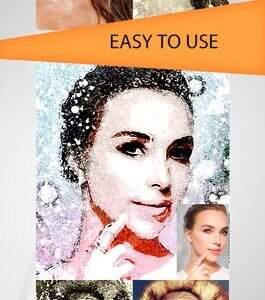
$6.99
A Photoshop action that converts photos into a layered ink/paint splatter portrait look using a Smart Object PSD. Readme notes require RGB, 8‑bit images and the English version of Photoshop; insert your photo into the Smart Object and save to apply the action.
-
$6.99
Photoshop Smart-Object PSD that applies a dotted halftone/mosaic effect to photos — open the included PSD, replace the Smart Object with your RGB 8-bit photo and save to apply the effect (instructions in Readme).
-

$6.99
Photoshop action set that produces neon-glow, high-contrast duotone portraits; package includes a Smart Object PSD and requires RGB 8‑bit images and English Photoshop (per readme).
-
$6.99
A Photoshop action/PSD workflow that applies a neon rim-glow and high-contrast metallic stylization to photos via a smart-object; requires RGB 8‑bit images and the English version of Photoshop. Includes a PSD (smart object) and a Readme with usage steps.
-

$6.99
Photoshop action package for turning photos into an oil-paint / painterly portrait style; includes a sample PSD with a Smart Object and a Readme with usage notes. Requires RGB, 8‑bit images and the English version of Photoshop (instructions in the included Readme).
-

$6.99
Photoshop action that converts photos into a textured ‘old paint’ painted portrait look using a Smart Object; requires RGB 8‑bit images and the English version of Photoshop.
-

$6.99
Photoshop PSD/action that turns photos into a painterly, old-oil-painting style using a Smart Object; optimized for portrait images and printable artwork. Includes layered PSD with textures and instructions for replacing the smart-object photo.
-

$6.99
Photoshop action that produces an aged, scratched vintage-photo look using a supplied PSD Smart Object; README notes require RGB, 8‑bit and the English version of Photoshop and instructs replacing the Smart Object with your photo.
-

$6.99
Photoshop action package that produces a painted / cartoon-style portrait look via a supplied PSD Smart Object; requires Photoshop (use RGB, 8‑bit, English) and swapping your photo into the Smart Object.
-
$6.99
Photoshop actions that convert photos into a black-and-white pencil-drawing / sketch look using a Smart Object workflow; package includes a layered PSD and readme with usage notes (requires RGB, 8‑bit and English Photoshop).
-

$6.99
Photoshop action that converts photos into a layered black-and-white pencil sketch using a Smart Object; requires RGB 8‑bit images and the English version of Photoshop. Includes a PSD and Readme with usage instructions.
-

$6.99
Photoshop action that converts photos into a layered black-and-white pencil sketch using a Smart Object; requires RGB 8‑bit images and the English version of Photoshop. Includes a PSD and Readme with usage instructions.
-

$6.99
PSD-based Photoshop action that applies a pink duotone/tint and a promotional-style black headline banner; replace the Smart Object content with your RGB 8‑bit photo and save. Readme notes require English Photoshop and an RGB 8-bit image.
-

$6.99
Photoshop action supplied as a PSD with a Smart Object that produces an HDR-style, high-contrast textured portrait look; requires RGB 8-bit images and placing your photo into the Smart Object then saving. Readme includes usage notes for English Photoshop.
-

$6.99
A Photoshop action packaged as a PSD with a Smart Object for creating an HDR-style look on portraits; requires RGB 8-bit images and the English version of Photoshop — place your photo into the Smart Object and save to run the effect.
-
$6.99
Layered Photoshop PSD (Smart Object) that produces a textured, poster-style effect for portraits; includes a readme with usage instructions. Designed for use with RGB 8-bit images and Photoshop (English).
-

$6.99
Photoshop action package for professional skin and portrait retouching supplied as a PSD with a Smart Object; requires RGB 8‑bit and English Photoshop — open the Smart Object, paste your photo, save to apply the effect.
-

$6.99
Photoshop action workflow (with a provided PSD Smart Object) that converts portraits into a realistic painting-style look; requires RGB, 8‑bit images and use of the Smart Object as described in the readme.
-

$6.99
Photoshop action workflow with an included PSD Smart Object that converts portrait photos into a high-contrast cartoon/sketch with selective red accents; requires RGB, 8‑bit images and replacing the Smart Object as described in the Readme.