Showing all 8 resultsSorted by price: low to high
-
$9.99
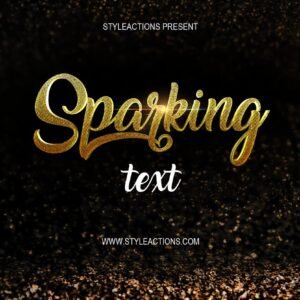
Layered Photoshop (PSD) template that creates a 3D sparkling/glitter text effect; replace text inside the included Smart Object and save to update the effect. Readme instructs opening the Smart Object, editing text, and saving.
-
$9.99
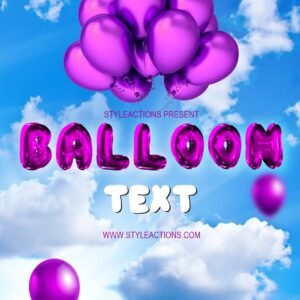
Layered Photoshop PSD that creates a glossy balloon-style text effect using an editable Smart Object; replace the sample text in the Smart Object and save to apply. The preview shows balloon letters, individual balloons and a cloud/sky background for party or celebration designs.
-

$6.99
Photoshop action package that applies Christmas lights / winter bokeh and snowflake overlays; includes a PSD with a Smart Object to drop in your photo. Requires RGB, 8‑bit and the English version of Photoshop — open the Smart Object, paste your photo, save, then run the action.
-

$6.99
A Photoshop text-effect package titled “Cristmas Text” for creating Christmas/holiday-themed typographic graphics; includes a PSD Smart Object you open, edit your text in, then save as instructed. Readme explains opening the Smart Object and replacing text to apply the effect.
-

$9.99
Layered Photoshop text effect with an editable Smart Object that turns type into a gold foil/balloon-style headline; preview shows balloons, confetti and a premium banner for festive designs.
-

$6.99
Photoshop actions that create a glitter-style text effect; package includes a PSD Smart Object template—open the smart object, edit your text, save to apply the effect. Readme provides basic usage steps.
-

$6.99
Photoshop action-style product intended to create a watercolor/painterly look for photographs; package includes a PSD (Smart Object) sample and a Readme with usage notes. Readme specifies the image must be RGB, 8‑bit and that Photoshop (English) Smart Object workflow is used.
-

$9.99
Layered Photoshop (PSD) text effect that applies a pink/purple watercolor brush fill to script lettering on a textured paper background; edit the included Smart Object to replace the sample text. Delivered as a PSD with a short README explaining Smart Object workflow.