
3D Metal Text Effect
$9.99Layered Photoshop PSD text effect that creates an editable 3D metal look; open the Smart Object, replace your text and save to apply the effect.
Showing 1–20 of 45 resultsSorted by price: low to high

Layered Photoshop PSD text effect that creates an editable 3D metal look; open the Smart Object, replace your text and save to apply the effect.
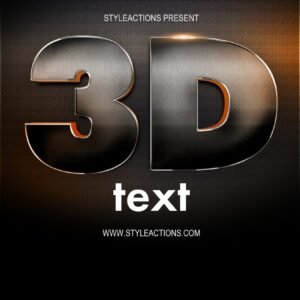
Layered Photoshop PSD using a Smart Object to create an editable 3D diamond-plate/metal text effect; update the text by opening the Smart Object and saving. Supplied files: Readme.txt and the editable PSD.
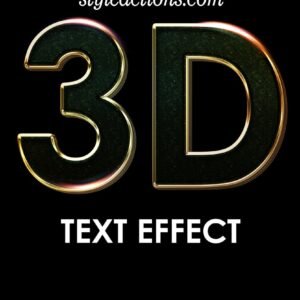
A Photoshop 3D text effect marketed as a PS Action that uses a Smart Object PSD — edit text inside the Smart Object and save to produce a metallic gold 3D title; includes a Readme with usage steps.

Photoshop action package that produces an abstract gold/metallic look for photographs; includes a layered PSD (uses a Smart Object) and a readme. Requires RGB, 8‑bit images and the English version of Photoshop.

A Photoshop PSD text-effect template that applies a chrome, light-reflective finish to editable text via a Smart Object—open the PSD, edit the Smart Object text and save to update the effect.

Photoshop product that creates a chrome/metallic text effect using an editable Smart Object PSD; open the PSD, edit the Smart Object text, save to apply the effect.

Layered Photoshop PSD that applies a chrome/metallic textured treatment to text via a Smart Object; replace the sample text in the Smart Object and save to update the effect. Includes a preview showing a bold gold/chrome headline on a dark textured background.
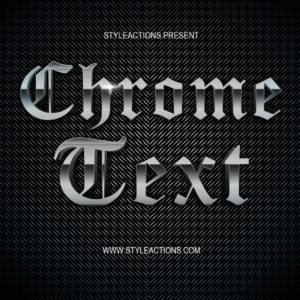
A Photoshop PSD text-effect template that produces a chrome/metallic appearance for editable text. Edit the Smart Object inside the supplied PSD, save, and the chrome effect is applied.

Layered Photoshop text effect PSD that creates a copper/bronze metallic, embossed lettering look on a dark grunge background; editable via a Smart Object—replace the text inside the Smart Object and save.

Photoshop action that produces a metallic gold color treatment for photos; includes a sample layered PSD and runs via a Smart Object (requires RGB 8-bit and English Photoshop). Replace the Smart Object image and save to apply the effect.

Photoshop action package that applies a gold/metallic effect via a PSD with a Smart Object photo placeholder; requires RGB, 8-bit images and the English version of Photoshop. Follow the included Readme to open the Smart Object and paste your photo.

A Photoshop gold-metal text effect marketed as an action and supplied with a PSD Smart Object; edit the Smart Object text, save, and the template produces a shiny gold metallic finish. Readme instructs opening the Smart Object, replacing text and saving to apply the effect.

Photoshop action package (includes a PSD sample) that converts photos — especially portraits — into a metallic gold, high‑gloss stylised look. Requires RGB, 8‑bit images and use of the PSD Smart Object as described in the included Readme.

Photoshop action package (PSD + Readme) that applies a gold/metallic portrait styling via a Smart Object workflow; requires an RGB, 8‑bit image and the English version of Photoshop. Instructions include opening the Smart Object and pasting your photo, then saving to run the action.

A Photoshop PSD text-effect that applies a gold/metallic style via an editable Smart Object; open the PSD, edit the Smart Object text, save to update the effect. Archive contains a Readme and the PSD file.

Layered PSD text effect that uses a Smart Object—replace the sample text inside the Smart Object and save to apply a gold metallic style (preview shows a portrait layout with gold bokeh and a premium ribbon). Readme instructs opening the Smart Object and typing your text.

Package marketed as a Gold Text Effects Photoshop action and includes a PSD with a Smart Object: open the Smart Object, replace text and save to apply the effect. Readme provides simple instructions; no preview included in the archive.

A Photoshop gold-text effect delivered with a layered PSD Smart Object; replace the placeholder text in the Smart Object and save to apply a glossy metallic gold look suitable for luxury headlines and posters.

Photoshop action-style product for producing a glossy gold metallic text effect; package includes a PSD Smart Object (Gold text.psd) and simple instructions to replace text via the Smart Object. Ideal for premium headlines, posters and social media graphics.

Packaged as a ‘Gold Text PS Action’, this product includes a layered PSD with a Smart Object to create a glossy 3D gold luxury text effect; edit the Smart Object text and save to apply the effect. Readme provides brief usage instructions.
Notifications